Best TikTok Watermark Removers for Mac in 2025 (Top 5)
Best TikTok Watermark Removers for Mac in 2025 (Top 5)
If you're a Mac user who downloads TikTok videos for repurposing, you've probably noticed the frustrating watermark that appears on every video. Whether you're a content creator building compilation videos, a social media manager curating content, or someone who wants clean footage for presentations, that TikTok logo can be a real problem.
The challenge gets even more specific for Mac users. While Windows users have dozens of options, Mac-compatible tools that actually deliver quality results are surprisingly limited. I've spent weeks testing the most popular TikTok watermark removers available for macOS in 2025, and here's what actually works.
Why Mac Users Need Specialized Watermark Removal Tools
TikTok adds watermarks to every downloaded video for brand protection and content attribution. While this makes sense from their perspective, it creates obstacles for legitimate content creators who want to:
- Repurpose TikTok content across multiple platforms
- Create clean compilation videos without distracting logos
- Use TikTok footage in professional presentations or marketing materials
- Build portfolio pieces without platform branding
Mac users face unique challenges. Many popular watermark removal tools are Windows-only, and web-based solutions often compromise on quality or privacy by uploading your videos to cloud servers. The tools that do work on Mac vary dramatically in effectiveness, processing speed, and output quality.
Top 5 TikTok Watermark Removers for Mac (2025)
1. EraseVideo – Best Overall for Mac Users
Price: Free trial (2 videos/day) | $19.9/year | $49.9 one-time purchase
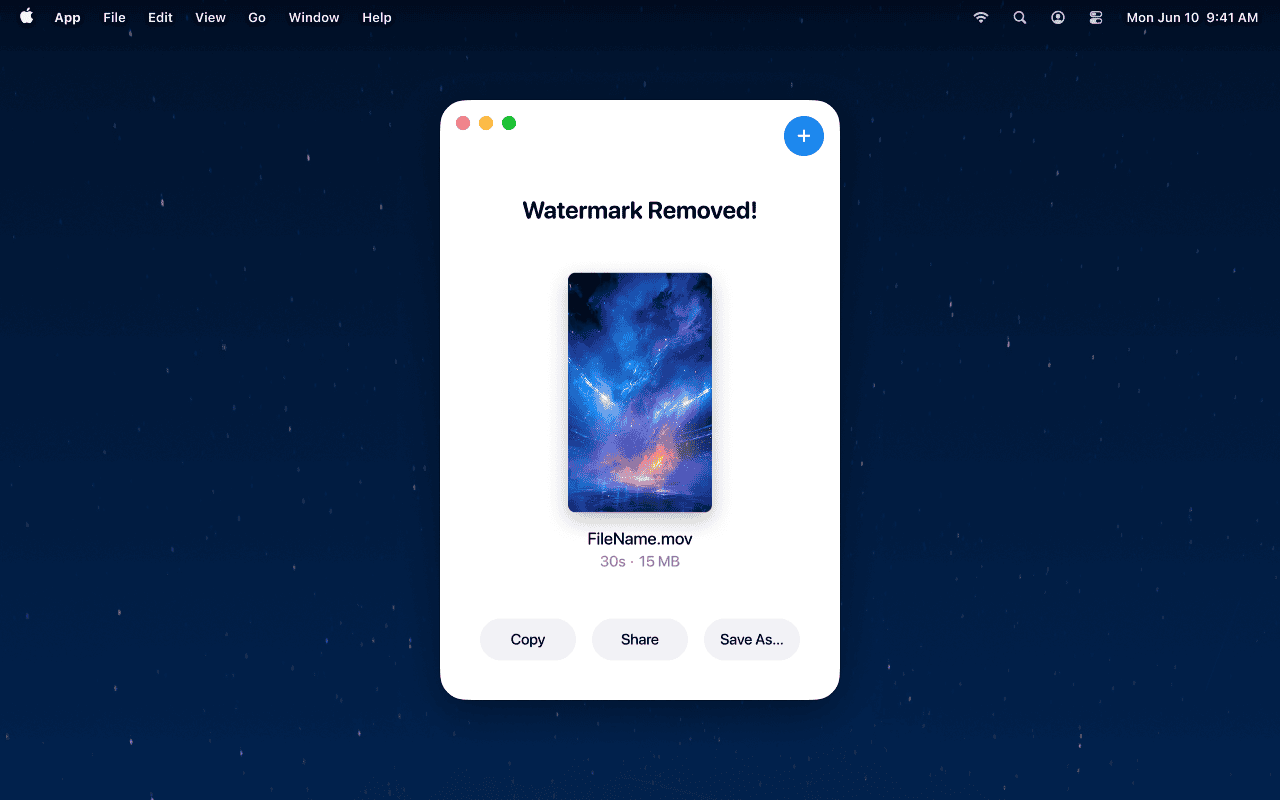
EraseVideo stands out as the most Mac-optimized solution I've tested. Built specifically for macOS, it handles TikTok watermarks along with watermarks from 7+ AI video platforms including Sora, Runway, and Pika.
How it works:
- Download and install EraseVideo from erasevideo.app
- Drag your TikTok video directly into the application window
- EraseVideo automatically detects the TikTok watermark location
- Click "Start Processing" and wait while AI removes the watermark
- Export your clean video (saved as [original-name]_unmarked.mp4)

Why it's the best choice:
- ✅ Fully automated process – No manual selection of watermark areas required
- ✅ AI-powered reconstruction – Uses intelligent algorithms to naturally fill watermark areas
- ✅ 100% local processing – Videos never leave your Mac, ensuring complete privacy
- ✅ Maintains original quality – Preserves resolution, frame rate, and audio tracks
- ✅ Native Mac application – Optimized for Apple Silicon and Intel processors
- ✅ Multi-platform support – Works with TikTok, Sora, Runway, Veo, and more
Limitations:
- ❌ No batch processing yet (processes one video at a time)
- ❌ Cannot pause processing mid-operation
- ❌ Free tier limited to 2 videos per day
Best for: Mac users who prioritize quality and privacy, content creators working with multiple video platforms, professionals who need consistent results.
2. SnapTik – Best Free Web-Based Option
Price: Completely free
SnapTik is a browser-based tool that downloads TikTok videos without watermarks rather than removing them after download. It's accessible from any Mac browser without installation.
How it works:
- Copy the TikTok video URL from the TikTok app or website
- Visit SnapTik.app and paste the URL
- Click "Download"
- Save the watermark-free video to your Mac
Advantages:
- ✅ No software installation required
- ✅ Completely free with unlimited downloads
- ✅ Works on any Mac with a browser
- ✅ Simple three-step process
Drawbacks:
- ❌ Only works for downloading, not for videos already saved
- ❌ Requires internet connection
- ❌ Contains ads (necessary for free service sustainability)
- ❌ No control over output quality settings
- ❌ Doesn't work with videos from other platforms
Best for: Casual users who occasionally download TikTok videos, those who don't want to install software, users on tight budgets.
3. WatermarkRemover.io – Best for Cross-Platform Compatibility
Price: Free tier available | Premium starts at $9/month
WatermarkRemover.io offers both downloading capabilities and actual watermark removal through browser processing.
Key features:
- Works on Mac, Windows, iOS, and Android through web browsers
- Removes both TikTok watermarks and other platform logos
- Offers mobile apps for on-the-go processing
- Free tier allows limited watermark removals
Advantages:
- ✅ No Mac software installation needed
- ✅ Also removes watermarks from images
- ✅ Handles multiple watermark types beyond TikTok
- ✅ Mobile app available for iOS devices
Drawbacks:
- ❌ Uploads videos to cloud servers (privacy concern)
- ❌ Processing quality varies depending on watermark complexity
- ❌ Free tier has significant limitations
- ❌ Requires internet connection for all operations
- ❌ Slower processing compared to native apps
Best for: Users who work across multiple devices, those who need occasional watermark removal without commitment, users comfortable with cloud processing.
4. Adobe Premiere Pro – Best for Professional Editors
Price: $22.99/month (individual plan)
For Mac users already subscribed to Adobe Creative Cloud, Premiere Pro offers professional-grade watermark removal through manual masking and content-aware fill features.
Process:
- Import TikTok video into Premiere Pro
- Use masking tools to isolate the watermark area
- Apply content-aware fill or clone stamp effects
- Manually adjust frames for smooth results
- Export the final video
Advantages:
- ✅ Professional-grade quality control
- ✅ Complete creative control over the removal process
- ✅ Part of comprehensive video editing suite
- ✅ Excellent for complex editing projects
Drawbacks:
- ❌ Expensive subscription required
- ❌ Steep learning curve for beginners
- ❌ Time-consuming manual process
- ❌ Overkill if you only need watermark removal
- ❌ Requires significant Mac processing power
Best for: Professional video editors, users already subscribed to Adobe Creative Cloud, those working on complex projects requiring additional editing.
5. Final Cut Pro – Best Apple Native Solution
Price: $299.99 (one-time purchase)
Apple's professional video editing software includes powerful masking and tracking tools that can remove TikTok watermarks, though the process is entirely manual.
Advantages:
- ✅ Optimized specifically for Mac (especially Apple Silicon)
- ✅ One-time purchase (no subscription)
- ✅ Professional-quality results with practice
- ✅ Magnetic timeline for efficient editing
Drawbacks:
- ❌ High upfront cost
- ❌ Complex interface for simple watermark removal
- ❌ Requires manual tracking and masking
- ❌ Time-intensive process for each video
Best for: Mac users who need professional video editing capabilities beyond watermark removal, those who prefer one-time purchases over subscriptions.
Detailed Comparison: Which Tool Should You Choose?
| Feature | EraseVideo | SnapTik | WatermarkRemover.io | Premiere Pro | Final Cut Pro |
|---|---|---|---|---|---|
| Automation | Fully automated | Automated download | Semi-automated | Fully manual | Fully manual |
| Processing Location | Local (Mac) | Cloud download | Cloud upload | Local (Mac) | Local (Mac) |
| Privacy | Excellent | Good | Fair | Excellent | Excellent |
| Quality | Excellent | Good | Variable | Excellent | Excellent |
| Mac Optimization | Native app | Browser | Browser | Professional app | Native Apple |
| Price | $19.9/year | Free | $9/month | $22.99/month | $299.99 once |
| Learning Curve | Easy | Very easy | Easy | Steep | Steep |
| Best Use Case | Regular removal | Occasional download | Cross-device use | Professional editing | Pro Mac users |
How to Choose the Right Tool for Your Needs
Choose EraseVideo if you:
- Process TikTok videos regularly on your Mac
- Value privacy and local processing
- Want automated, high-quality results
- Work with multiple video platforms (Sora, Runway, etc.)
- Need consistent, professional output
Choose SnapTik if you:
- Only occasionally download TikTok videos
- Don't want to install software
- Have a limited budget
- Don't mind ads
- Only need basic downloading functionality
Choose WatermarkRemover.io if you:
- Switch between Mac, Windows, and mobile devices
- Need to remove watermarks from images too
- Don't mind cloud processing
- Want a middle-ground pricing option
Choose Premiere Pro or Final Cut Pro if you:
- Already use these tools for professional editing
- Need comprehensive video editing beyond watermark removal
- Have the budget and technical skills
- Work on complex video projects
Common Questions About TikTok Watermark Removal on Mac
Is it legal to remove TikTok watermarks?
Removing watermarks for personal use or repurposing content you created is generally acceptable. However, removing watermarks from others' content without permission and using it commercially may violate TikTok's terms of service and copyright laws. Always get permission before using others' content.
Will removing watermarks reduce video quality?
It depends on the tool. EraseVideo uses AI reconstruction to maintain original quality. Web-based tools that re-encode videos may reduce quality slightly. Professional tools like Premiere Pro and Final Cut Pro maintain quality but require manual work.
Can I remove watermarks from videos already saved to my Mac?
Yes, with EraseVideo, Premiere Pro, or Final Cut Pro. Tools like SnapTik only work for downloading new videos without watermarks – they can't process already-saved files.
Do I need an internet connection?
EraseVideo works completely offline once installed. SnapTik and WatermarkRemover.io require internet. Professional editing software works offline but may need internet for updates.
How long does watermark removal take?
EraseVideo typically processes a 30-second TikTok video in 2-5 minutes on modern Macs. SnapTik downloads are nearly instant. Manual removal in Premiere Pro or Final Cut Pro can take 15-30 minutes depending on your skill level.
Tips for Better Results
Regardless of which tool you choose, these tips will improve your watermark removal results:
1. Start with the highest quality source video Download TikTok videos in the highest resolution available. Better source material produces better final results.
2. Check local laws and platform terms Understand the legal implications of removing watermarks in your jurisdiction and respect content creators' rights.
3. Keep backup copies Always save the original watermarked version before processing, in case you need to retry or adjust settings.
4. Test with free tiers first Most paid tools offer free trials. Test with your typical videos before committing to subscriptions.
5. Consider your workflow Choose tools that integrate naturally into your existing content creation process rather than forcing workflow changes.
Final Verdict: Best TikTok Watermark Remover for Mac in 2025
After extensive testing, EraseVideo emerges as the best all-around choice for Mac users who regularly need to remove TikTok watermarks. The combination of automated processing, local privacy protection, excellent quality, and reasonable pricing makes it ideal for content creators, social media managers, and Mac users who value their time.
For occasional use, SnapTik provides a completely free solution that works well for simple downloading tasks. And if you're already invested in professional video editing software, Premiere Pro or Final Cut Pro can handle watermark removal as part of broader editing projects.
The key is matching the tool to your specific needs. A casual user doesn't need professional software, and a content creator processing 20+ videos weekly shouldn't rely on free web tools with quality limitations.
Ready to try EraseVideo?
- ✅ Free trial: Process 2 videos per day at no cost
- ✅ Annual plan: $19.9/year for unlimited processing
- ✅ Lifetime access: $49.9 one-time payment
Related Articles
Related Articles

Sora vs Veo 3: Which AI Video Tool is Better in 2025?
Compare Sora and Veo 3 head-to-head. Discover which AI video generator delivers better quality, handles watermarks properly, and fits your workflow in 2025.

How to Remove TikTok Watermark in 3 Easy Steps (2025)
Learn how to remove TikTok watermarks from your videos using proven methods. Compare online tools vs desktop software for best results.

7 Best Free AI Watermark Removers for Mac Users (2025)
Discover the top free AI watermark removal tools for Mac in 2025. Compare features, quality, and privacy options to find your perfect solution today.